LiftPal · Guide


Workout tracker alternatives compared
LiftPal, Hevy, Strong and Fitbod: compare how they plan and support your training, what stays free and what they offer beyond a workout.
LiftPal made this comparison. We checked claims about Hevy, Strong and Fitbod against the official product pages linked below.
Which app fits your training?
| What you want | App | Why it fits |
|---|---|---|
| A free log with specific training guidance | LiftPal | Routines, RPE and Coach suggestions are free; you decide on the suggestions. Start up to five synced routines on the Watch without an iPhone connection. |
| Share workouts with friends | Hevy | A feed, comments, shared routines and friend comparisons are central to the app. |
| A classic log on iPhone or Android | Strong | Templates and open workouts take center stage. You can also train directly from Apple Watch. |
| New sessions based on goals and equipment | Fitbod | Fitbod assembles workouts from your inputs and previous sessions. Logging new workouts after the trial requires a subscription. |
Four approaches
Where each app focuses
See how each app logs sessions, suggests changes and works with your watch.
LiftPal
Training, daily goals and your mind in one app
A free workout log with dynamic Coach suggestions, plus habits, measurable goals, steps and Flow challenges for memory, focus, logic and speed.
Explore product detailsHevy
Training with a community
Hevy combines workout logging with a feed, shared routines and comparisons with friends. Privacy controls are available for profiles and individual workouts.
Compare LiftPal and HevyStrong
Flexible workout logging
Strong lets you start from a template or an empty workout. It runs on iPhone, Android and Apple Watch, where you can manage sets and timers.
Compare LiftPal and StrongFitbod
Workouts that adapt
Fitbod builds suggestions from goals, equipment, your plan and logged sessions. Its muscle recovery model informs future workouts.
Compare LiftPal and FitbodLiftPal · Body & Mind
Your workout is part of your day.
Plan your next workout, choose a mental challenge or record a small daily habit. LiftPal brings these areas together so you can organise the routines that matter to you in one place.
Training
Weights, reps, RPE and performance history. Coach suggestions consider your training context; you can accept or decline them.
Explore ↗Daily life
Check off habits, add progress toward measurable goals and connect steps through Apple Health. Goals can cover fitness, learning or personal projects.
Explore ↗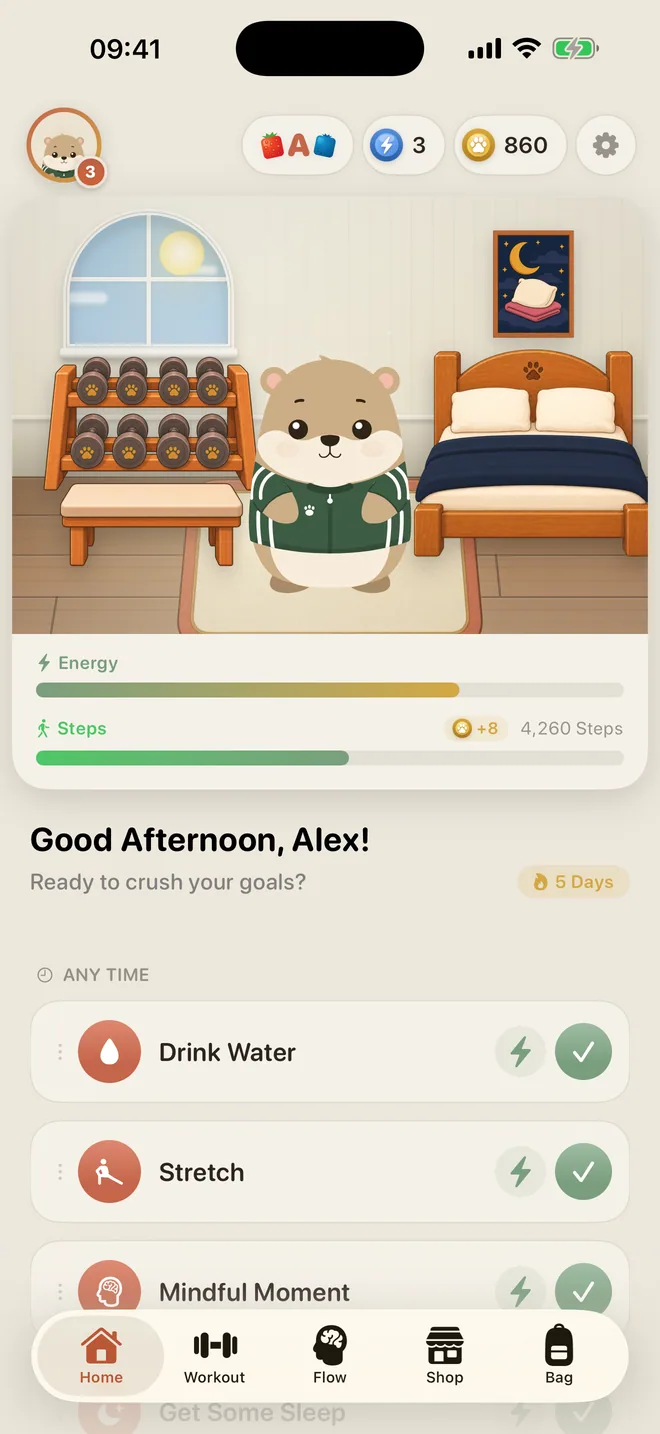
Flow
Short brain games from 40 exercises in memory, focus, logic and speed. Daily Flow builds a sequence; analytics show your results.
Explore ↗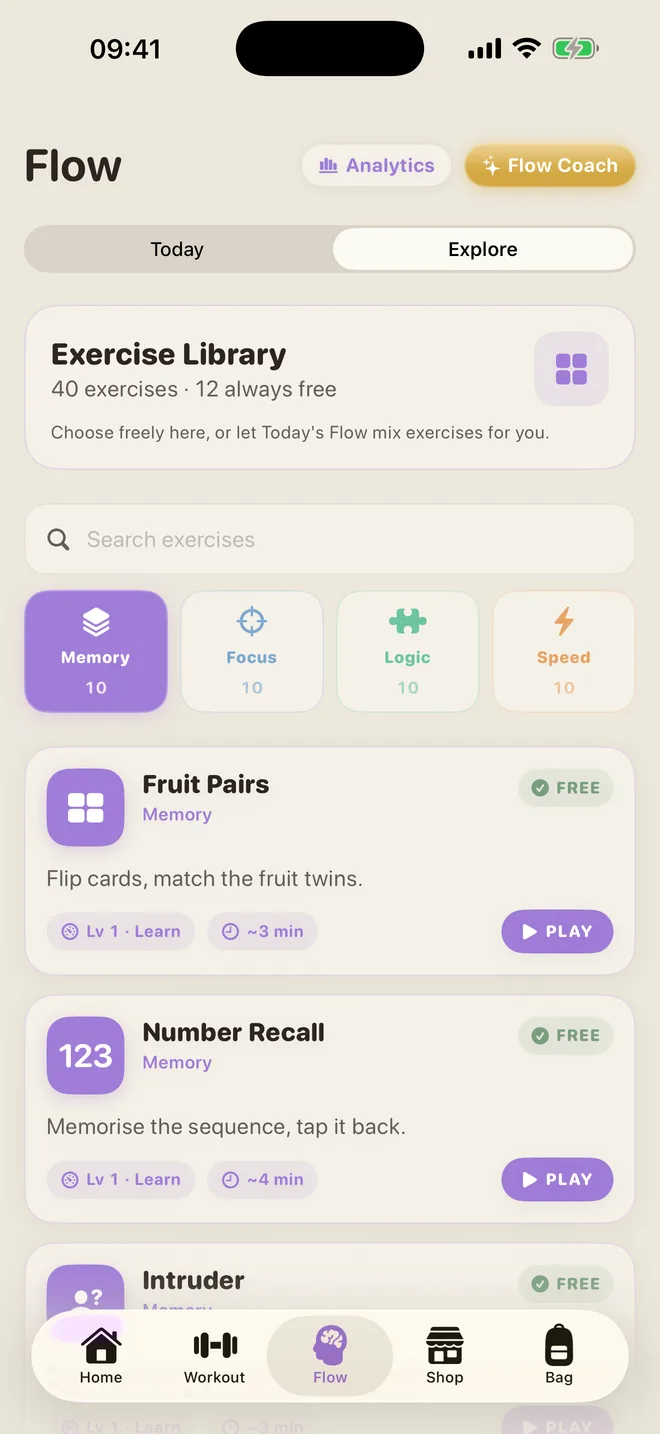
Make the choice
Three questions before you download
Who plans, and who adjusts?
LiftPal lets you set your own routines and gives you Coach suggestions to accept or decline during a workout. Premium generates personalized four-to-eight-week blocks you can edit. Hevy Trainer builds programs with Pro; Fitbod assembles new sessions. Strong uses templates.
Do you want to share workouts?
Hevy has a feed, comments, friend comparisons and privacy controls. LiftPal stores your workouts locally without an account and has no public workout feed.
Will you train from your Apple Watch?
LiftPal can start up to five previously synced routines on the watch. Sets and rest work without an iPhone connection, then sync later. Strong also lets you start and control workouts on the watch.
A closer look at LiftPal
Coaching suggestions during your workout
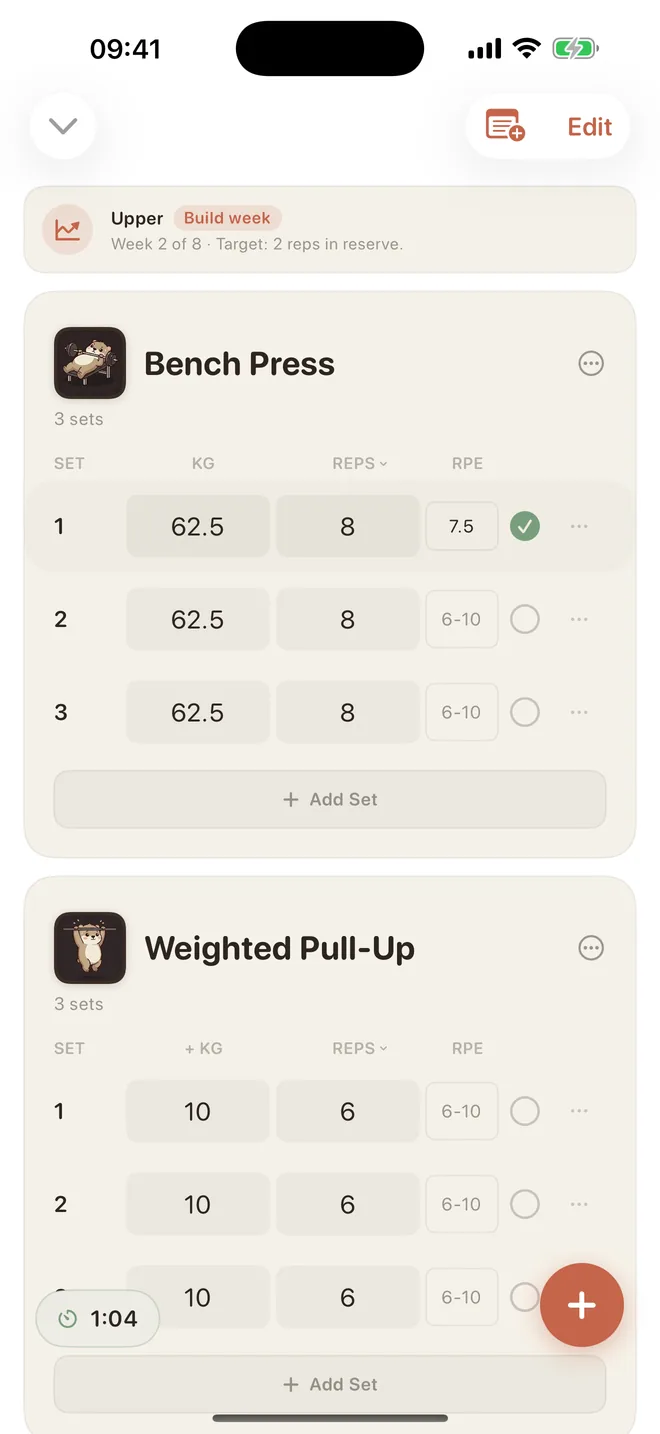
Log weight, reps and RPE. LiftPal uses your recorded sets to suggest specific changes and explain why. In its standard mode, you can accept or decline suggestions. Daily Goals, Flow and the wombat are there when you want them.
In the free log
Routines, open workouts, sets with weight, reps and RPE, rest timer, history, personal records and in-workout Coach suggestions.
With Premium
Personalized four-to-eight-week training blocks you can edit, smart weight and RPE targets for each set, and deeper analysis.
On Apple Watch
Start up to five previously synced routines directly on the watch. Log sets and rest without an iPhone connection, then sync later.
Sources checked on September 28, 2026
Sources and date
Hevy, Strong and Fitbod details come from their official product and help pages. LiftPal details describe the current app.
- LiftPalExplore LiftPal’s workout tracker
- LiftPalWith Premium
- LiftPalOn Apple Watch
- HevyHevy Help Centre · Social Guide
- HevyHevy Help Centre · Privacy & Social
- HevyHevy Help Centre · Hevy Trainer
- StrongStrong Help Center · Perform a Workout
- StrongStrong Help Center · Strong for Apple Watch
- StrongStrong · Official Website
- FitbodFitbod Help Center · My Plan
- FitbodFitbod Help Center · How Fitbod Works