
Goals in LiftPal
Build habits and see your progress with LiftPal
Walk more, study regularly or work toward your first push-ups: LiftPal gives you a simple way to keep track. Tick off small habits and follow bigger goals over time, so you can see what you have done even during a busy week.
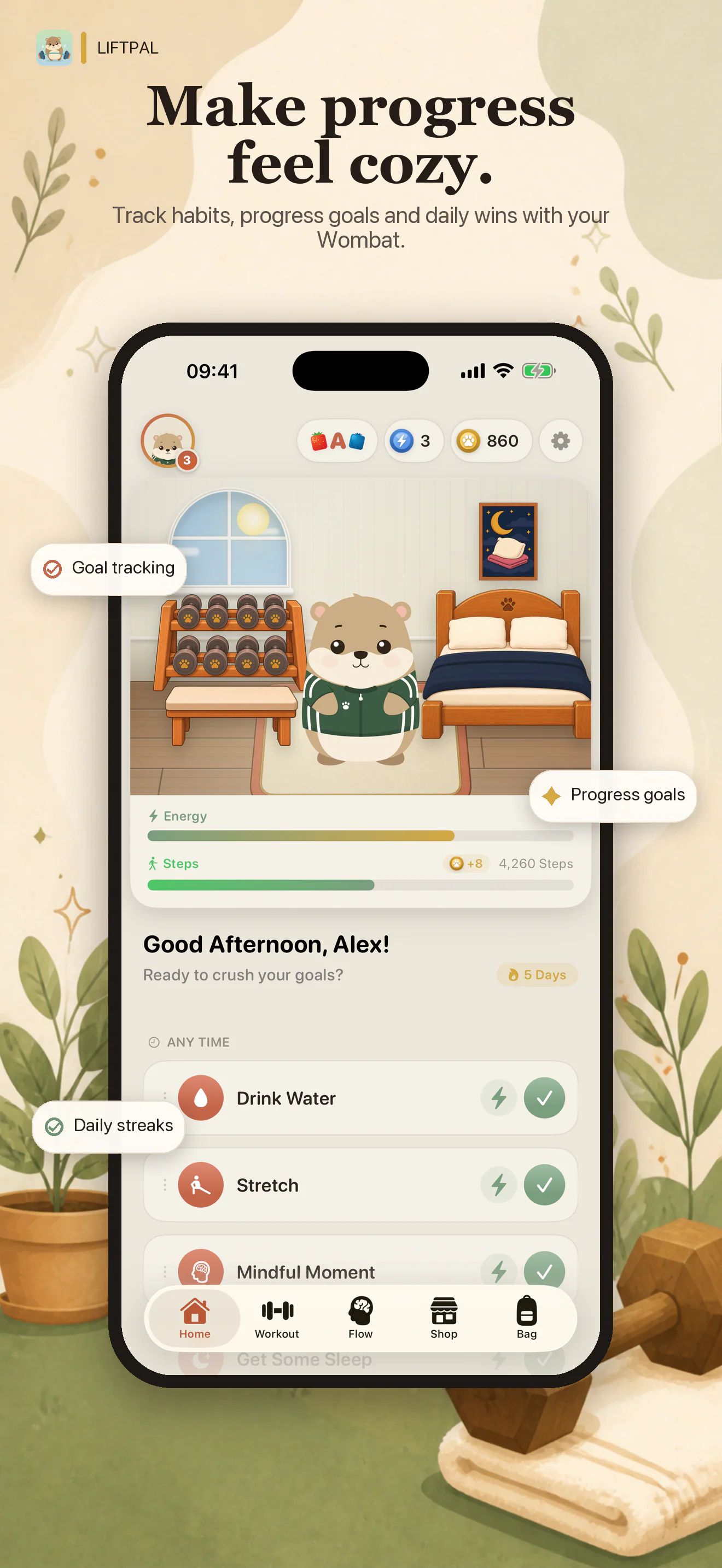
Done today or closer to a bigger goal?
For ten minutes of stretching, a tick after practice is enough. If you want to build up 40 study hours over several weeks, each hour counts toward a total. LiftPal has a goal type for each.
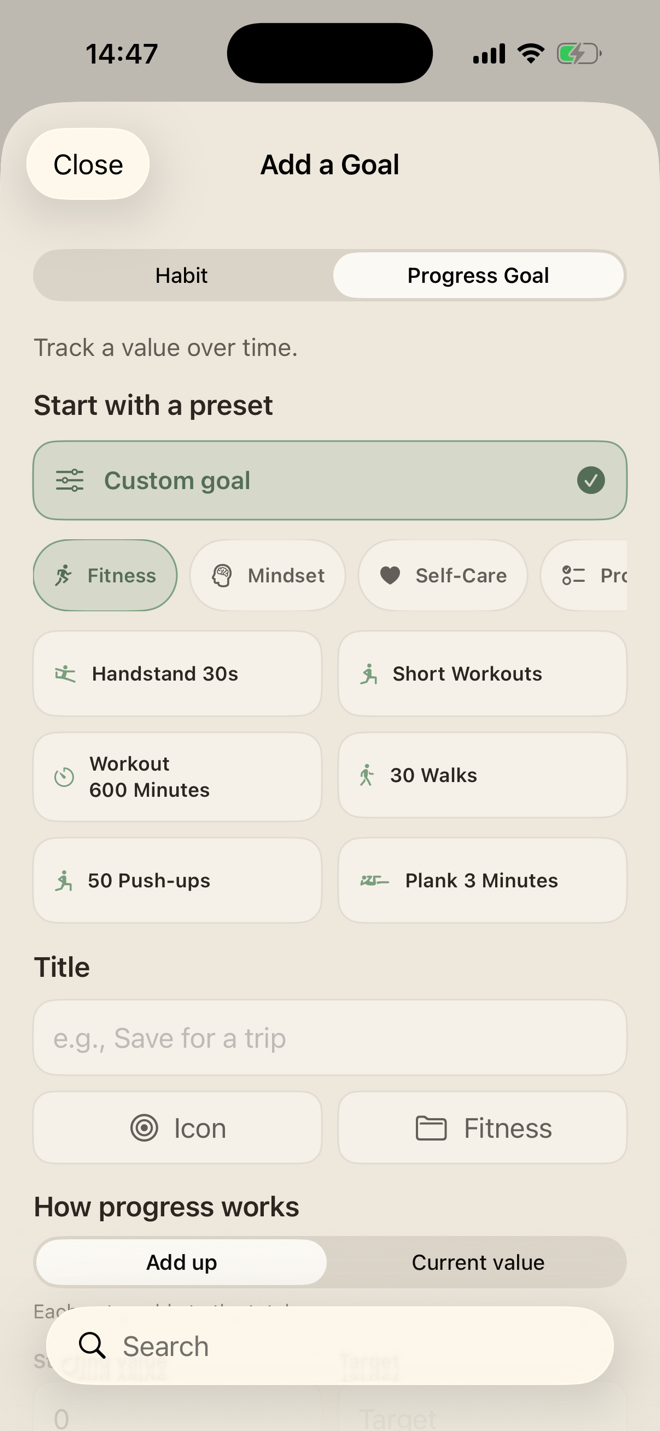
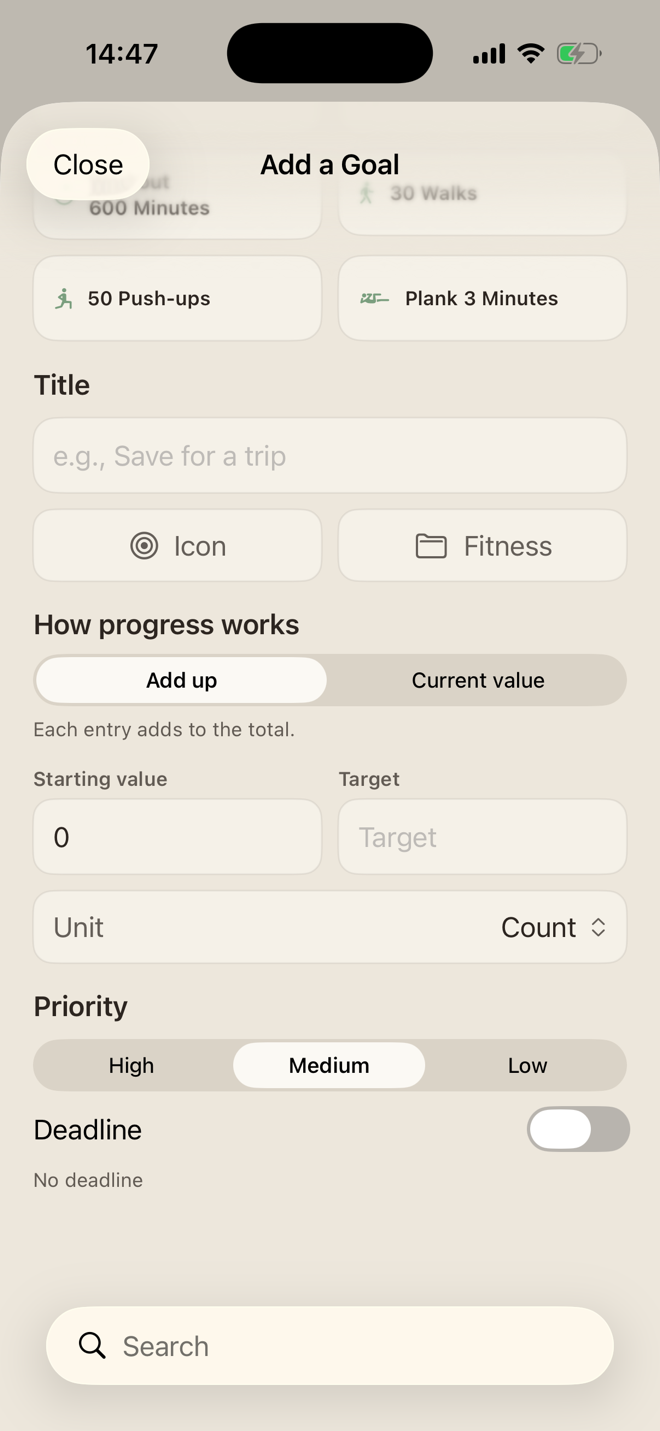
For progress goals, choose whether entries add up or replace the current value. Accumulate study hours, for example, or enter your new time when you hold a longer plank.
Start with one small habit
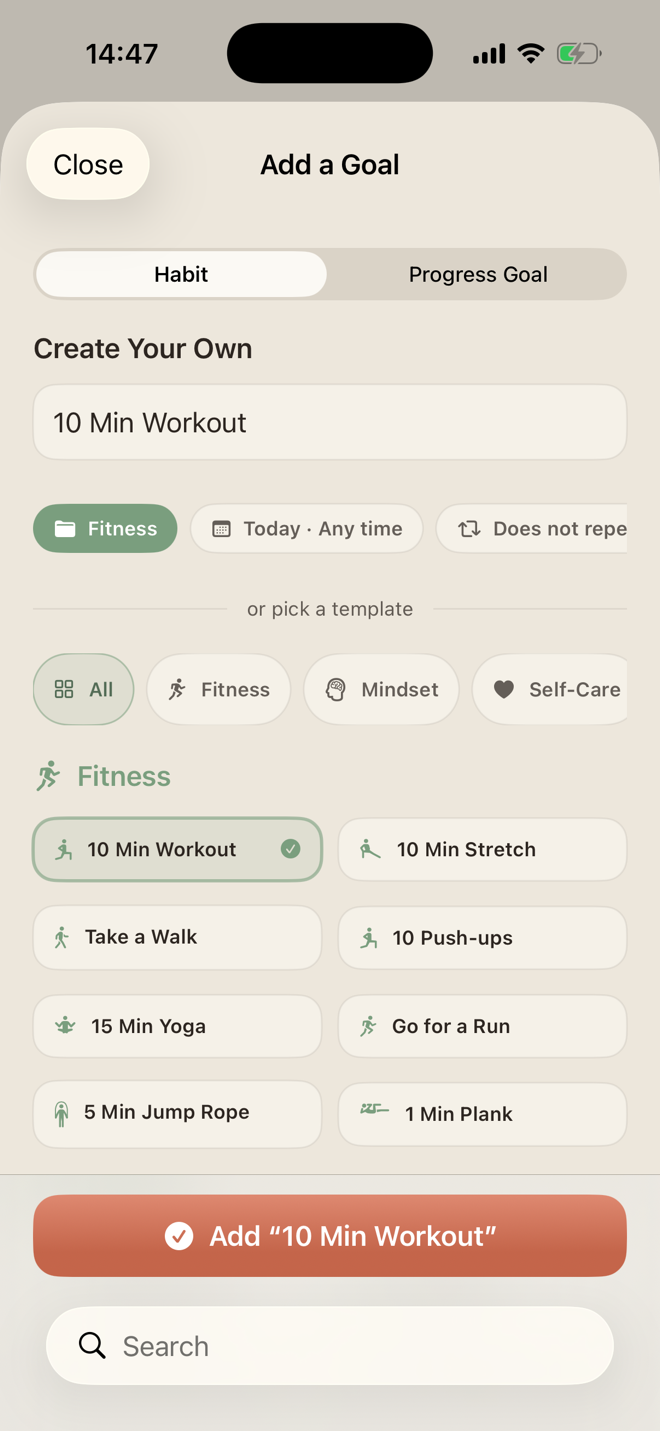
You don't need to build a complicated system. Pick a stretching, yoga or short-workout template and adjust it. Choose the title, icon, category, time window and repeat schedule.
For bigger goals, set a starting value, target and unit. A deadline is optional. Create your own goal if none of the templates fits.
See what is on for today
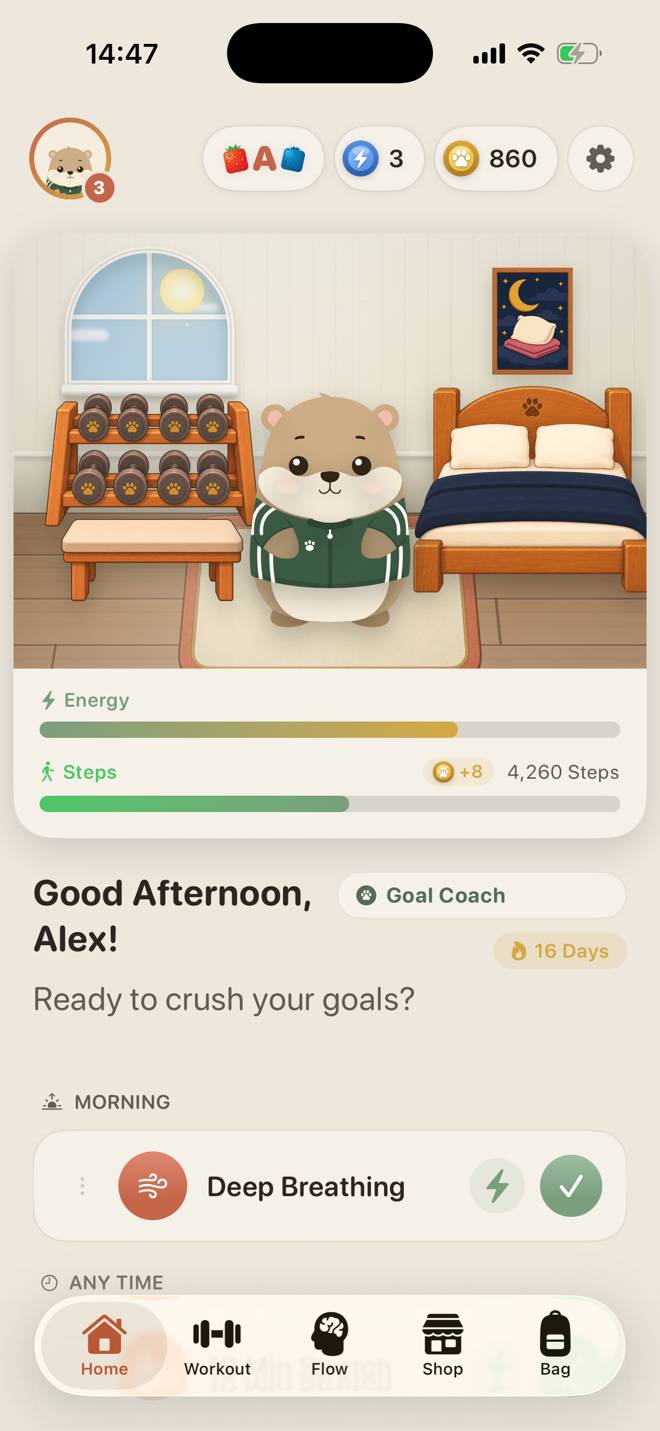
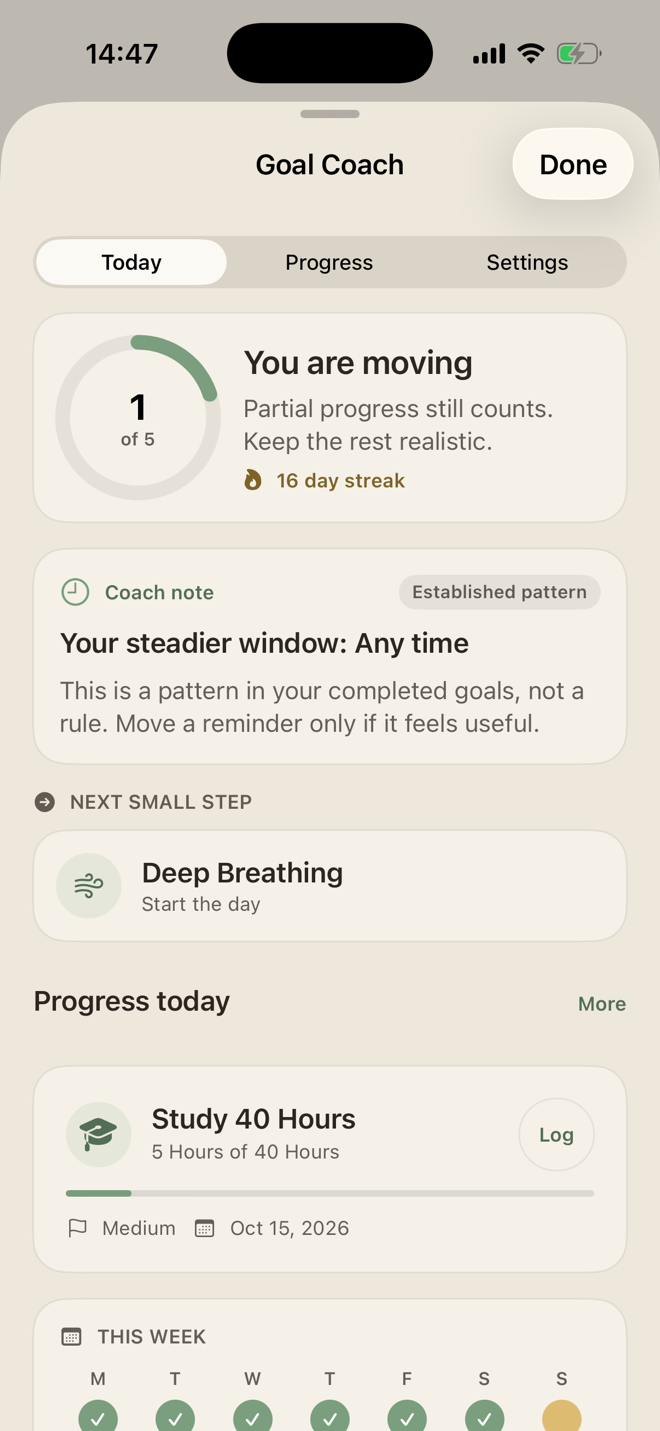
Your home screen shows habits in their chosen time windows. Morning routines appear in the morning; flexible goals can happen whenever the day allows. Fold away completed entries.
Your longer-term goals sit below with their current and target values, so you can find today's intentions and your bigger plans in one place.
A streak when it motivates you
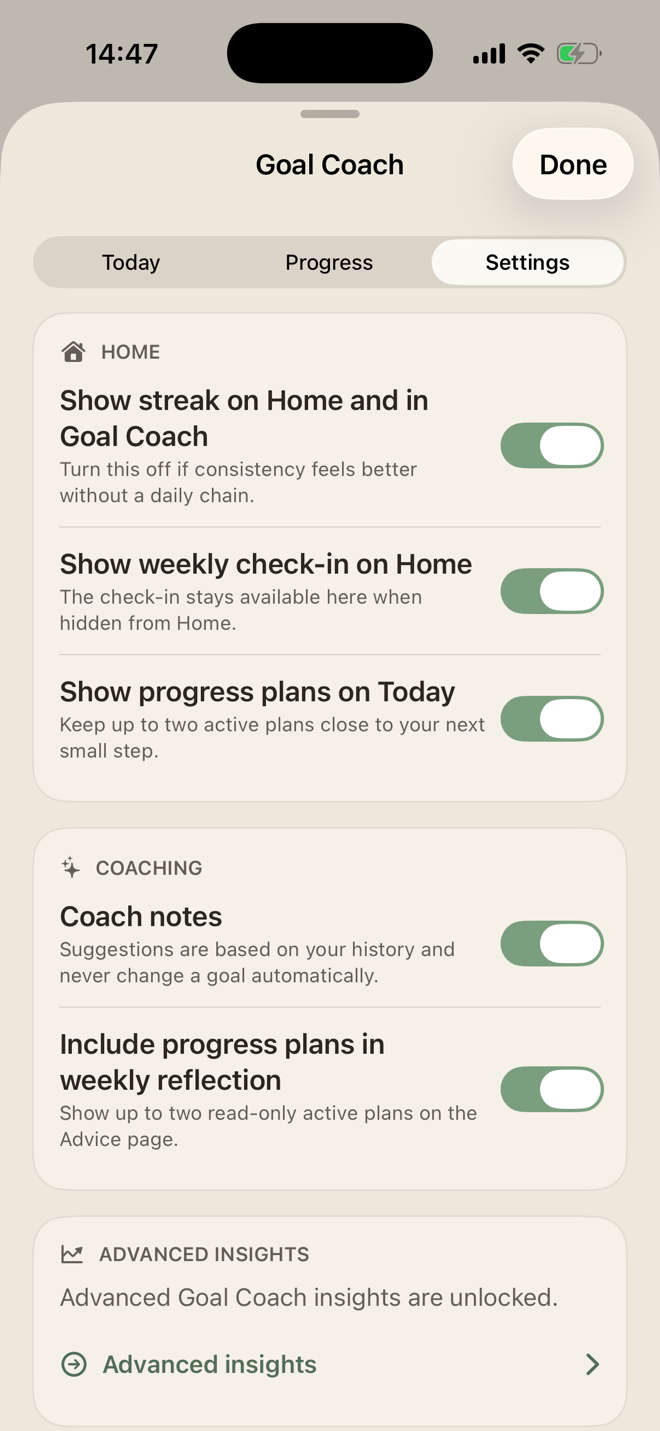
Seeing several completed days in a row can feel good. Show the streak on Home or in Goal Coach if it helps you. Hide it if the chain starts feeling like another obligation; your goals and entries remain.
Find a next step
Goal Coach looks at your past entries. Perhaps you completed goals more often when you left their timing flexible. It can highlight patterns like that and suggest a next step.
One completed goal still counts when four others remain open today. The suggestions can help you adjust, but do not change your goals automatically.
How was your week, really?
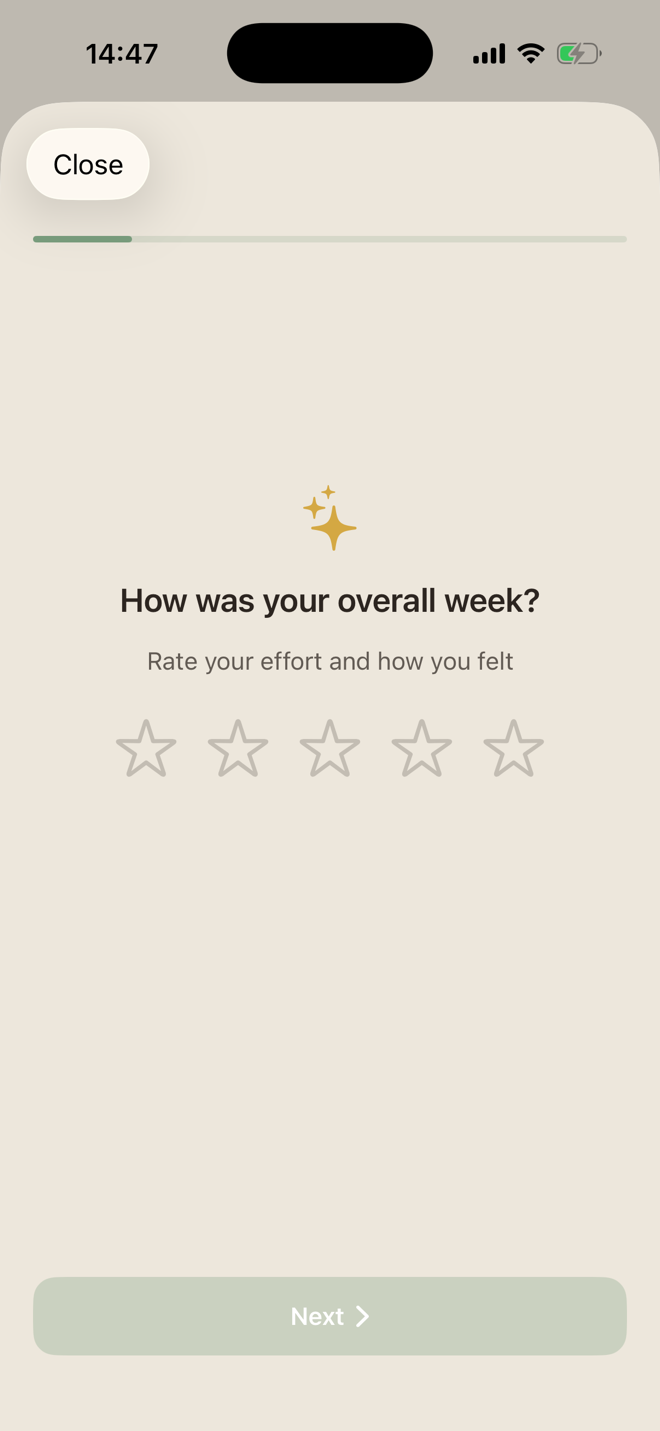
You may have done less during a particularly demanding week. The weekly check-in lets you note how much effort it took and how you felt, adding context to ticks and numbers.
Show the check-in on Home or open it in Goal Coach whenever you want.
A routine that fits your life
Your goals live alongside your workouts and wombat. Begin with one habit and add more later. Adjust templates, streaks and coach suggestions to suit your day.
Missing a template or setting? Send your idea to support@liftpal.app.
LiftPal · App
How the LiftPal Goal Tracker looks in practice
Quick answers
Frequently asked questions about the LiftPal goal tracker
What can I track with the LiftPal goal tracker?
You can create recurring habits and measurable progress goals. Examples include short routines, fitness goals, study hours, repetitions, minutes, and custom values.
What is the difference between a habit and a progress goal?
A habit is completed on a planned day or within a time window. A progress goal grows through multiple entries until it reaches a target value.
Can I create a completely custom goal?
Yes. You can choose the title, icon, category, time window, repeat schedule, and other settings. Templates are only quick starting points.
Can LiftPal add values and store a current value?
Yes. A progress goal can add each entry to the existing total or treat an entry as the new current value.
Do I have to use a streak?
No. The streak display can be turned off in settings. The goal tracker continues to work without a daily chain.
Does Goal Coach change my goals automatically?
No. Coach notes use your history to surface patterns, but they never change a goal automatically.
What happens during the weekly check-in?
You rate the week and reflect on the effort it required and how you felt. The check-in can appear on the home screen or remain available inside Goal Coach.
Is the goal tracker only for fitness goals?
No. Templates include areas such as fitness, mindset, and self-care. Custom goals and categories support many other uses.
Read next


Try a tool
Sources
Product details and privacy
The App Store listing and product documentation describe the features. The privacy policy explains how data is processed.
LiftPal - Body & Mind
LiftPal · Apple App Store
Open original sourceLiftPal features for goals, habits, and progress plans
LiftPal · LiftPal product documentation
Open original sourcePrivacy at LiftPal
LiftPal · LiftPal privacy policy
Open original source
MART PRODUCTION / Pexels · Pexels License · Resized and converted to WebP for this website.