Building LiftPal · Apple Watch

I did not want to reach for my iPhone between every set

My iPhone is often in my bag or a few metres away while I train. I still want weight, reps and rest to be recorded properly. That is why I built LiftPal for Apple Watch. The public foundation is now in the App Store, and the next expansion is becoming much more useful than a small remote on my wrist.

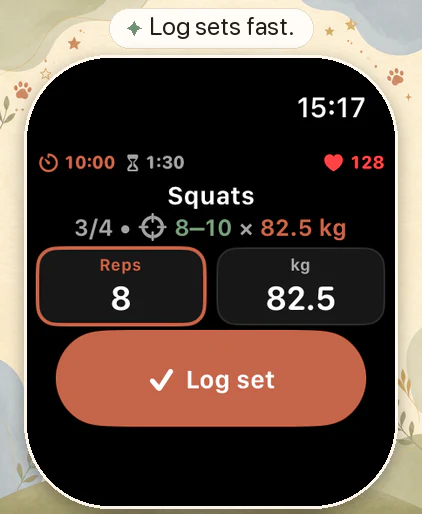
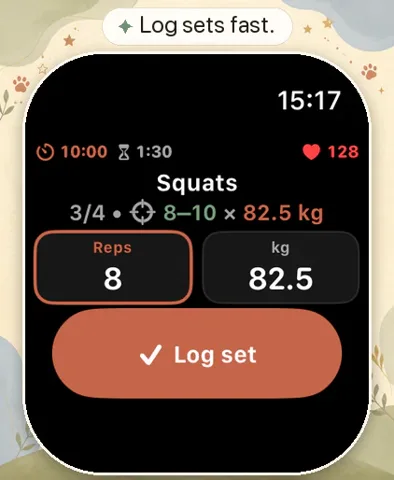
LiftPal Apple Watch active set screen with Squats, set progress, target repetitions, weight and Log set button

The Watch should not shrink my iPhone, it should make me need it less

The iPhone is great for planning and reviewing a workout. Right after a hard set, unlocking it, finding the correct row and entering numbers feels like unnecessary friction.

I did not want the Watch app to copy every iPhone screen. I wanted it to show the one action I need now, let me complete it in seconds and then get out of the way.

What the public Watch app already does

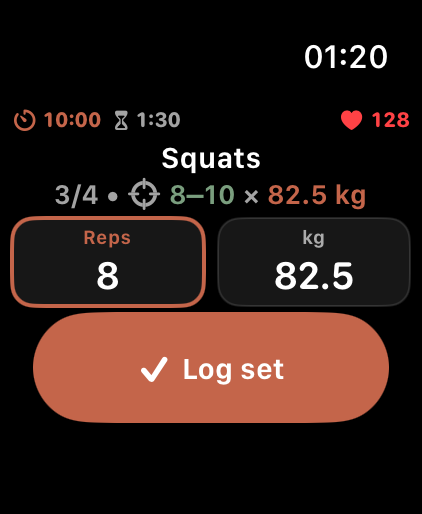
The version currently published in the App Store is LiftPal 1.1.1. It brings the core workout companion to the wrist. An active strength session shows the exercise, set progress, target range, repetitions and weight. Values can be adjusted with the Digital Crown.

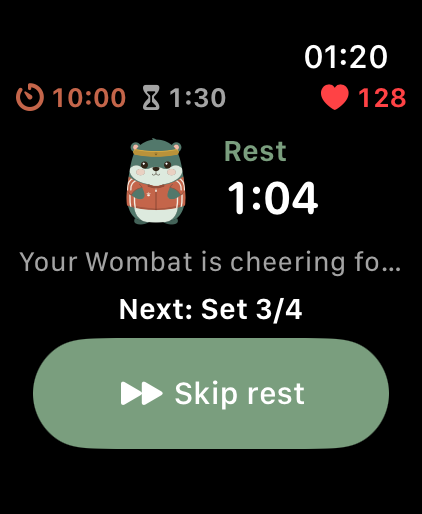
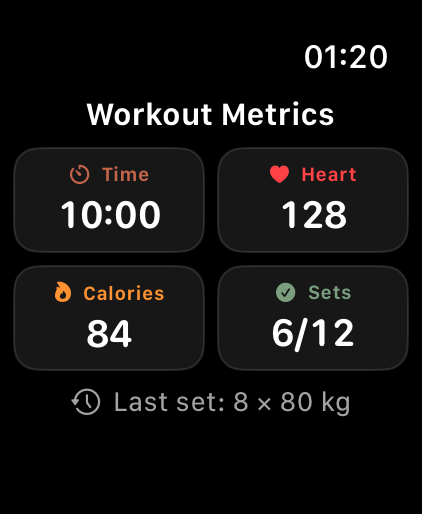
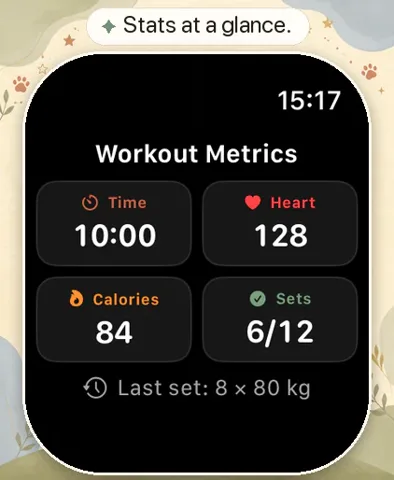
After a set, the middle page becomes the rest timer. Another page shows elapsed time, heart rate, active calories and set progress when the relevant Health permissions are available. The Wombat comes along too, including its outfit and a quiet reaction during rest.

  • Log sets, repetitions and weight from the wrist
  • Skip rest and control the active workout
  • See elapsed time, set progress and the previous set
  • Optionally include heart rate and active calories through Apple Health

The next expansion makes the Watch useful outside an active workout

In the current development build I am working on four clear dashboard pages: Daily Goals, Wombat, Reflex and Quick Start. These are a preview of the next Watch update and are not all part of the currently published app version.

Daily Goals is designed to show the day’s progress and the next realistic action. Supported goals can be completed, skipped for today or moved to another time of day. Titles, repeat schedules and reminders remain on iPhone because editing them is clearer there.

Reflex is a short optional reaction break for moments outside a workout. It is deliberately capped and unavailable during training. I do not want a game competing with set logging or recovery.

Quick Start should work when the iPhone is not currently reachable

The planned Quick Start keeps up to five phone-prepared routines on the Watch. A cached routine can then start from the wrist even if the iPhone is in a locker or temporarily disconnected.

That does not turn LiftPal into two separate workout databases. The iPhone remains the place for routine creation, planning and the complete history. The Watch keeps a bounded cache and stores local changes so their later sync remains understandable.

This boundary matters to me. Offline use should feel dependable without pretending two devices can edit the same session independently forever.

Health and sync should tell the truth about what is happening

Heart rate and active calories are optional. If Health permission is missing or tracking becomes unavailable, set logging should keep working. A notice must never cover the exercise name or controls.

The new development build also distinguishes between fully synced, saved on Watch and syncing later, and a state that needs attention. When workout data conflicts, the choice between the Watch and iPhone version should be explicit rather than silently guessed.

A workout can be finished from the Watch. Fully cancelling and deleting it still needs a reachable iPhone and asks for confirmation. A cancelled workout is not saved to Apple Health.

The Wombat stays a companion, and a widget should show the next step

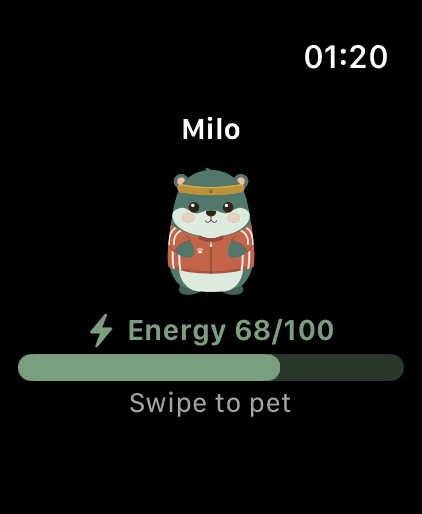
The Wombat has never been decoration only for me. On the Watch it uses the same skin and outfit as the iPhone companion. Outside a workout it can be petted. During rest it stays a quiet visual encouragement so training and heart rate capture remain the priority.

I am also working on Watch widgets for the next goal or an active workout. The widget displays the last snapshot saved by the Watch app. It is a quick glance, not an independent real-time database.

I want feedback about the awkward moments

I care less about the length of the feature list than what happens after a difficult set. Is the button easy to hit? Does Crown input feel natural? Is the wrong information taking space during rest?

Feedback about smaller Watch models, large text, kg or lb, training without a reachable iPhone, and moments when Health or sync fails is especially useful. Email me at support@liftpal.app. Please do not send sensitive Health data, full workout archives or payment information.

LiftPal is a planning and workout logging tool, not a medical device. Heart rate and active calories are optional workout values, not a medical assessment.

Quick answers

Frequently asked questions about LiftPal on Apple Watch

Which Apple Watch features are public now?

The published version lets you follow an active workout, adjust repetitions and weight with the Digital Crown, log sets, control rest, view workout metrics and bring your Wombat along.

Can I start a LiftPal workout directly on Apple Watch?

The update currently in development adds Quick Start for up to five routines previously transferred from iPhone. The App Store version still uses an active iPhone workout as its starting point.

Will Quick Start work without a reachable iPhone?

In the upcoming expansion, yes, when the routine has already been cached on the Watch. The iPhone still remains the primary app for planning, routine management and complete history.

Are Daily Goals on the Watch Apple Activity rings?

No. They are LiftPal goals. The Watch app does not change personal Move, Exercise or Stand targets from Apple.

What is Reflex on Apple Watch?

Reflex is a short optional reaction break outside an active workout. It is time limited, capped per day and designed not to interrupt training.

Do I need Apple Health for set logging?

No. Health is optional for heart rate and active calories. Set and rest tracking should continue without Health permission or when those measurements are unavailable.

Is LiftPal on Apple Watch a fully independent app?

No. The Watch app is installed with LiftPal for iPhone. Planned offline Quick Start can run cached routines locally, while planning and the complete data store remain on iPhone.

Where should I send feedback about the new Watch features?

Email support@liftpal.app with the Watch model, watchOS version, LiftPal version, affected screen and reproducible steps. Do not include sensitive Health or payment data.

Sources

Release status, product details and privacy

This development story separates the Watch companion currently published in the App Store from features still being prepared for the next update. The App Store page establishes the public release, while LiftPal product and privacy pages explain the feature boundary and optional Health data.

  1. Platform documentation2026

    LiftPal - Body & Mind

    LiftPal · Apple App Store

    Open original source
  2. Product documentation2026

    LiftPal for Apple Watch and watchOS

    LiftPal · LiftPal product documentation

    Open original source
  3. Product documentation2026

    LiftPal privacy and optional Health data

    LiftPal · LiftPal privacy policy

    Open original source